01 / Soccer
A place for every player.
Build formations for 3v3 through 11v11, with or without a goalkeeper. Plan quarters or halves, adjust positions and substitutions, and bring a printed coaching pack to the sideline.
Explore soccer →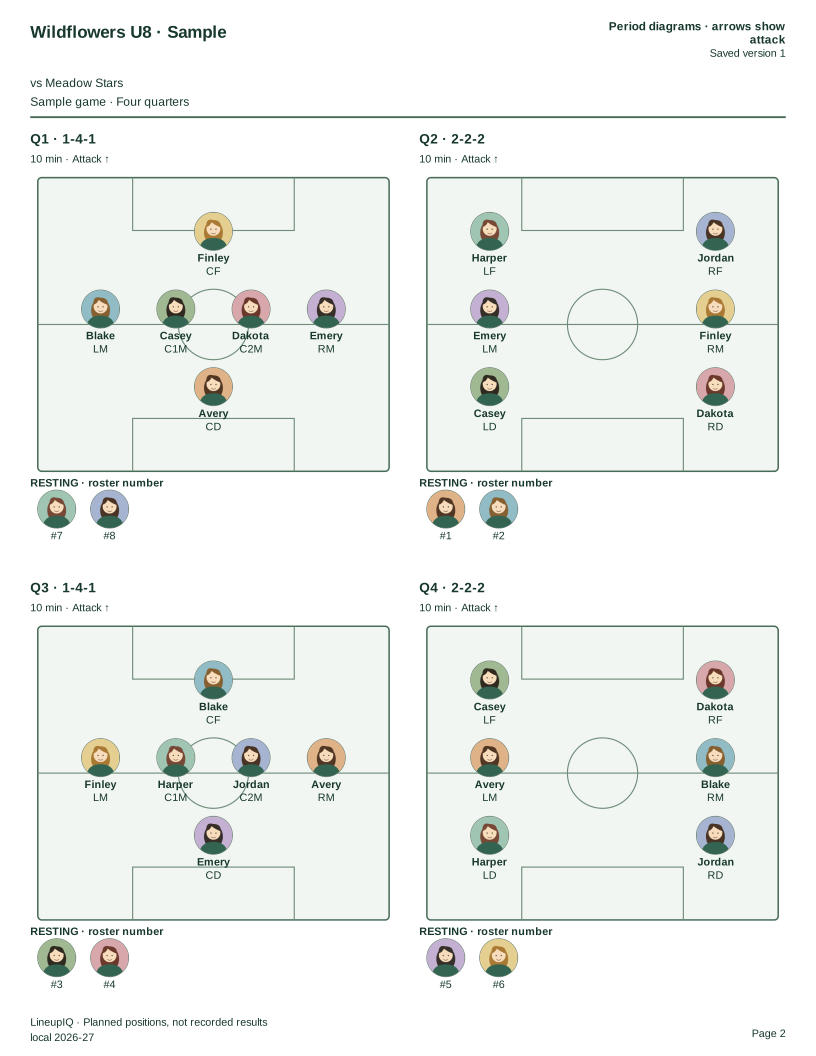
Product update ·
More ways to prepare. Fewer things to figure out at the field.
01 / Soccer
Build formations for 3v3 through 11v11, with or without a goalkeeper. Plan quarters or halves, adjust positions and substitutions, and bring a printed coaching pack to the sideline.
Explore soccer →02 / Dugout card
Your existing dugout card is now in Review. Inspect the whole game without opening Print. Enter edit mode to swap positions or reorder innings, then check the result before saving.
Open your games →Read-only by default. Editing controls and Undo make corrections deliberate.
03 / Lineup graphics · Beta
Create a baseball or softball graphic from your game, check the preview, and download the finished image. Your selections stay in place if you need to retry.
Create a lineup graphic →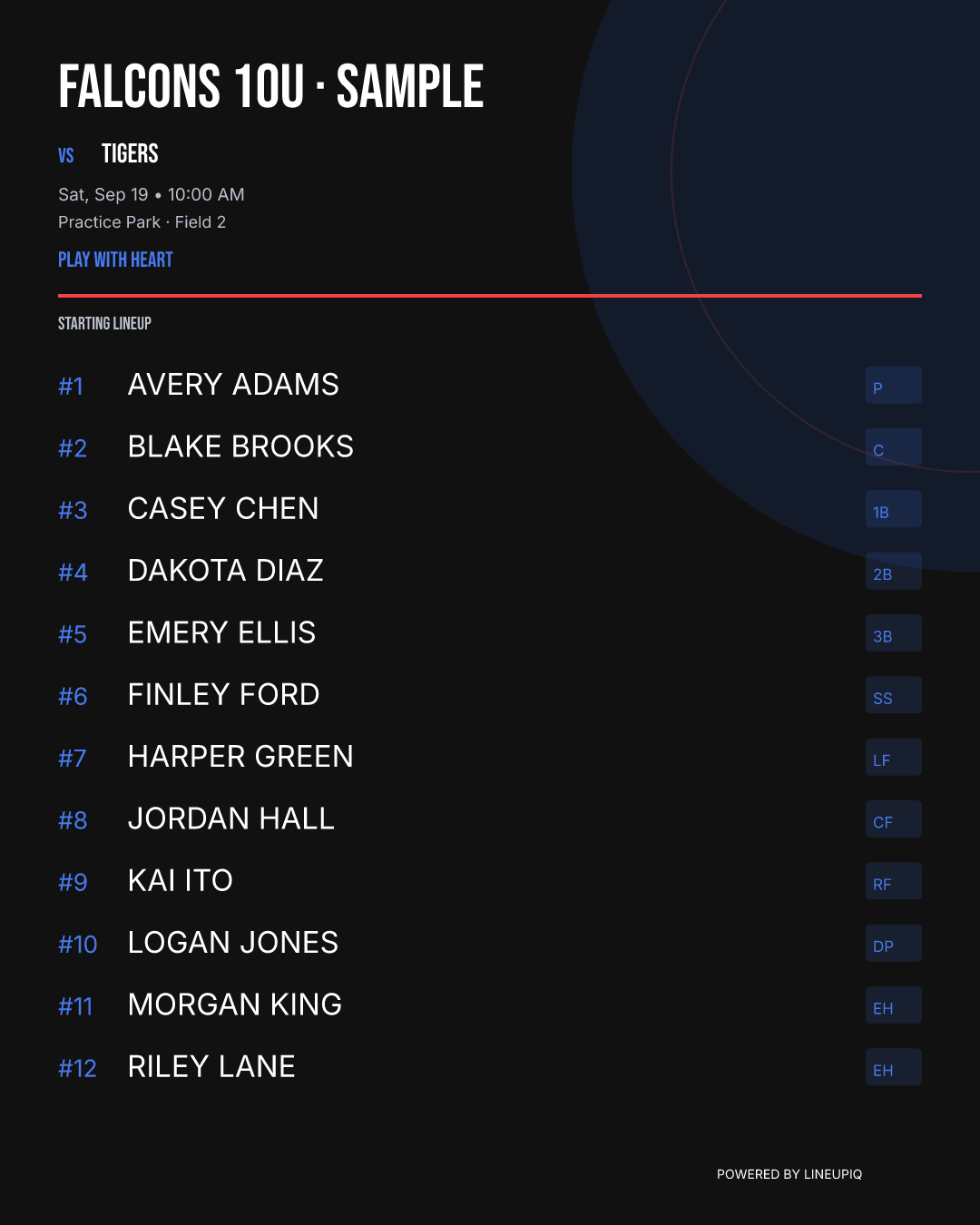
04 / Playing time
Planned lineups and confirmed results have different jobs. Confirm actual innings or periods after a game so your playing-time reports reflect what happened. Future plans do not count as played time.
Review game results →From your screen to the sideline
Rotations on the front. A field diagram for every quarter on the back. Choose portrait or landscape to fit your game.
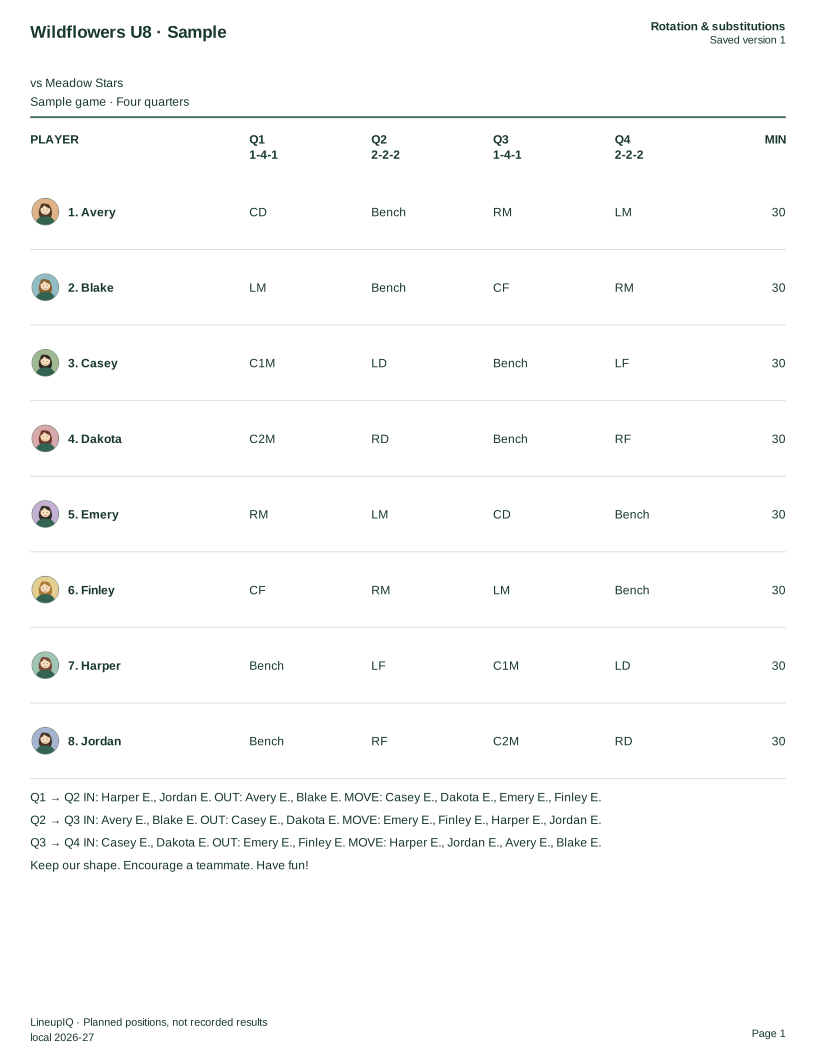
A real export from LineupIQ. Fictional team and players; illustrated avatars stand in for your own player photos. No account required. For double-sided printing, use long-edge flip in portrait or short-edge flip in landscape.