01 / Prepare
Make it your team.
Set the number of players, choose quarters or halves, and add your roster. Use real player photos to help younger children recognize their place.
LineupIQ / Soccer · Beta
Formations, substitutions and printable game plans—built around your team, every quarter or half.
3v3–11v11 · Optional goalkeeper · Quarters or halves
A calmer game day starts here
01 / Prepare
Set the number of players, choose quarters or halves, and add your roster. Use real player photos to help younger children recognize their place.
02 / Adjust
Choose a formation for each period. Move players where you want them and plan who comes off and who comes on. Changes save automatically; sync status tells you what is saved or waiting for a connection.
03 / Bring it
Print rotations and field diagrams in portrait or landscape. After the game, confirm what was actually played before reviewing playing time.
From your screen to the sideline
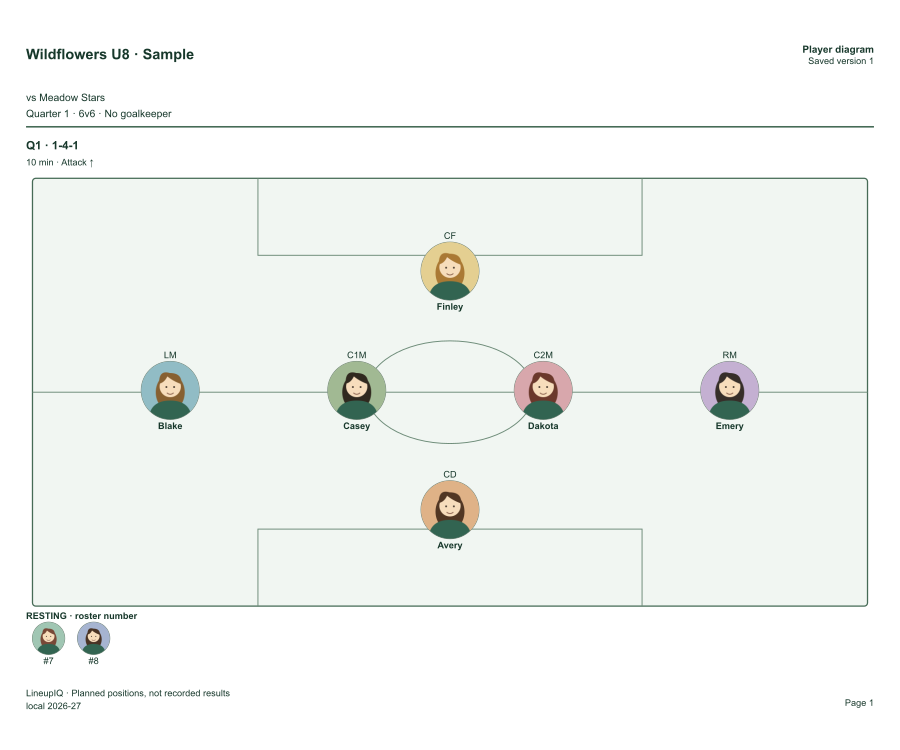
Rotations on the front. A field diagram for every quarter on the back. Choose portrait or landscape to fit your game.
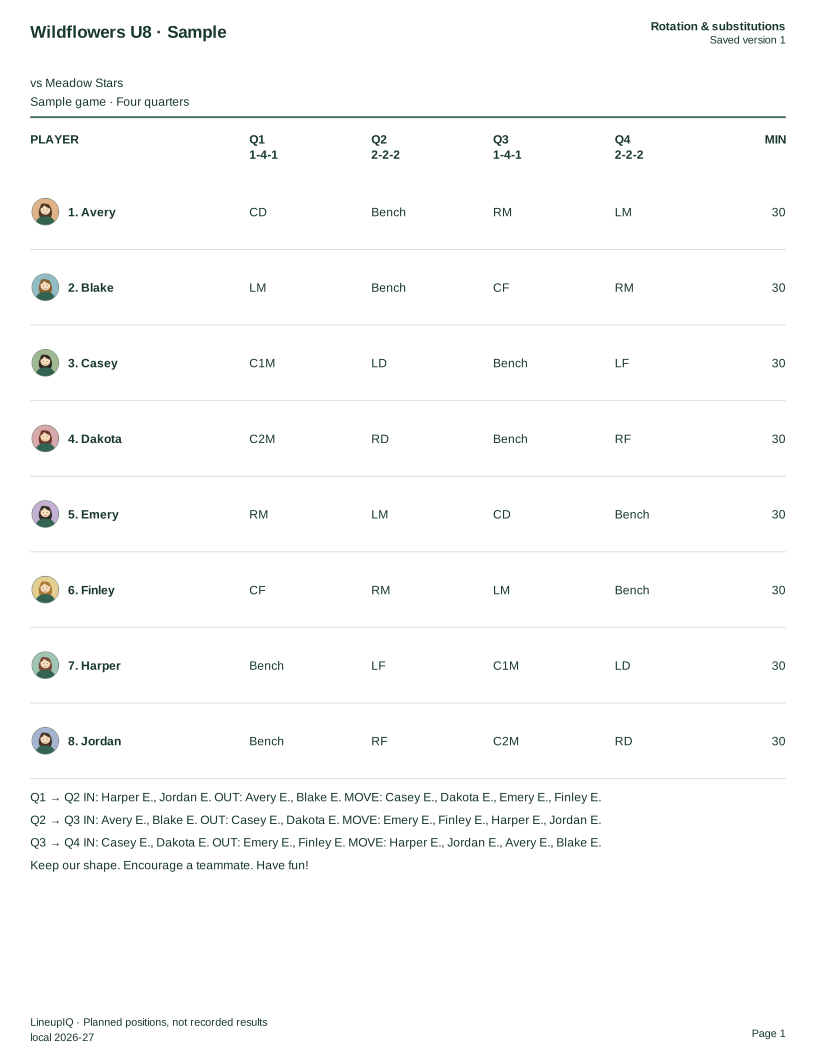
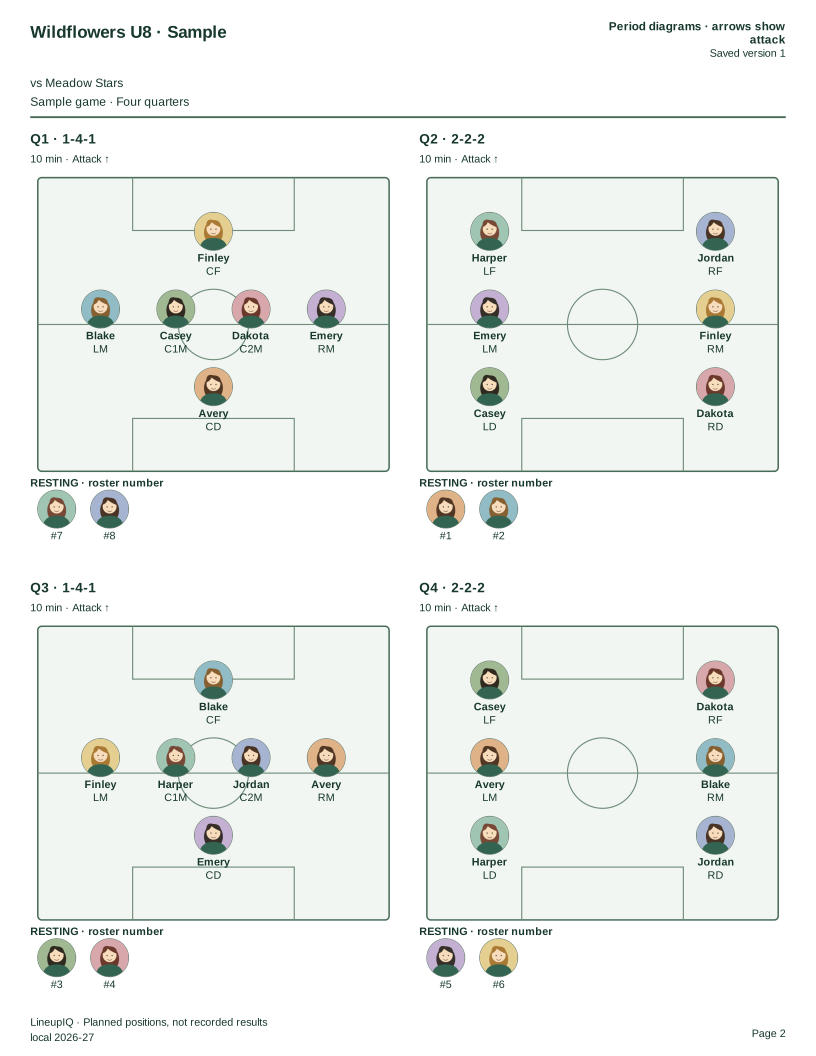
A real export from LineupIQ. Fictional team and players; illustrated avatars stand in for your own player photos. No account required. For double-sided printing, use long-edge flip in portrait or short-edge flip in landscape.
Choose any player count from 3v3 to 11v11, including or excluding a goalkeeper. Age groups do not lock you into a format. Set the format your league uses; check local rules with your league. LineupIQ is not affiliated with or endorsed by AYSO or FIFA.
Yes. Open LineupIQ in your phone, tablet or desktop browser. Soccer planning saves changes automatically and keeps pending edits locally when a connection is interrupted. Watch the sync indicator and reconnect to confirm changes have reached your account.
The sample is free to download. Your own advanced coaching packs and field diagrams require Pro access. See Plans for the available options.
Less figuring it out. More coaching.